

How to Convert an Electional Astrology Chart to Your Location and Time

Photo by Stas Knop
You may be surprised to know that you can’t just change the time of an electional chart to your local time zone to make the election work for you. Think of Electional Astrology as a snap-shot of the sky with the planets in specific places. To make the chart work for you, we must closely match the astrologer’s snapshot of the sky (their election) with a snap-shot of the sky for the city where you will be during the election.
The time of your converted chart depends entirely on WHEN the planets are where we want them to be at your location, NOT on standard time conversion. Both charts must have the planets in the same postions, share the same rising sign and use the same house system.
It may sound a little complicated, but it’s actually pretty easy, and best of all it’s FREE.
Follow the steps below to convert any electional chart to your location, anywhere in the world.
STEP 1 - Get your astrologer’s original electional chart and note the date, time and location they used.
In my Career Election posts, I give you location, date and time in the top left corner. My election for December was set for: December 6, 2025, 6:13 PM, Los Angeles, California, USA.
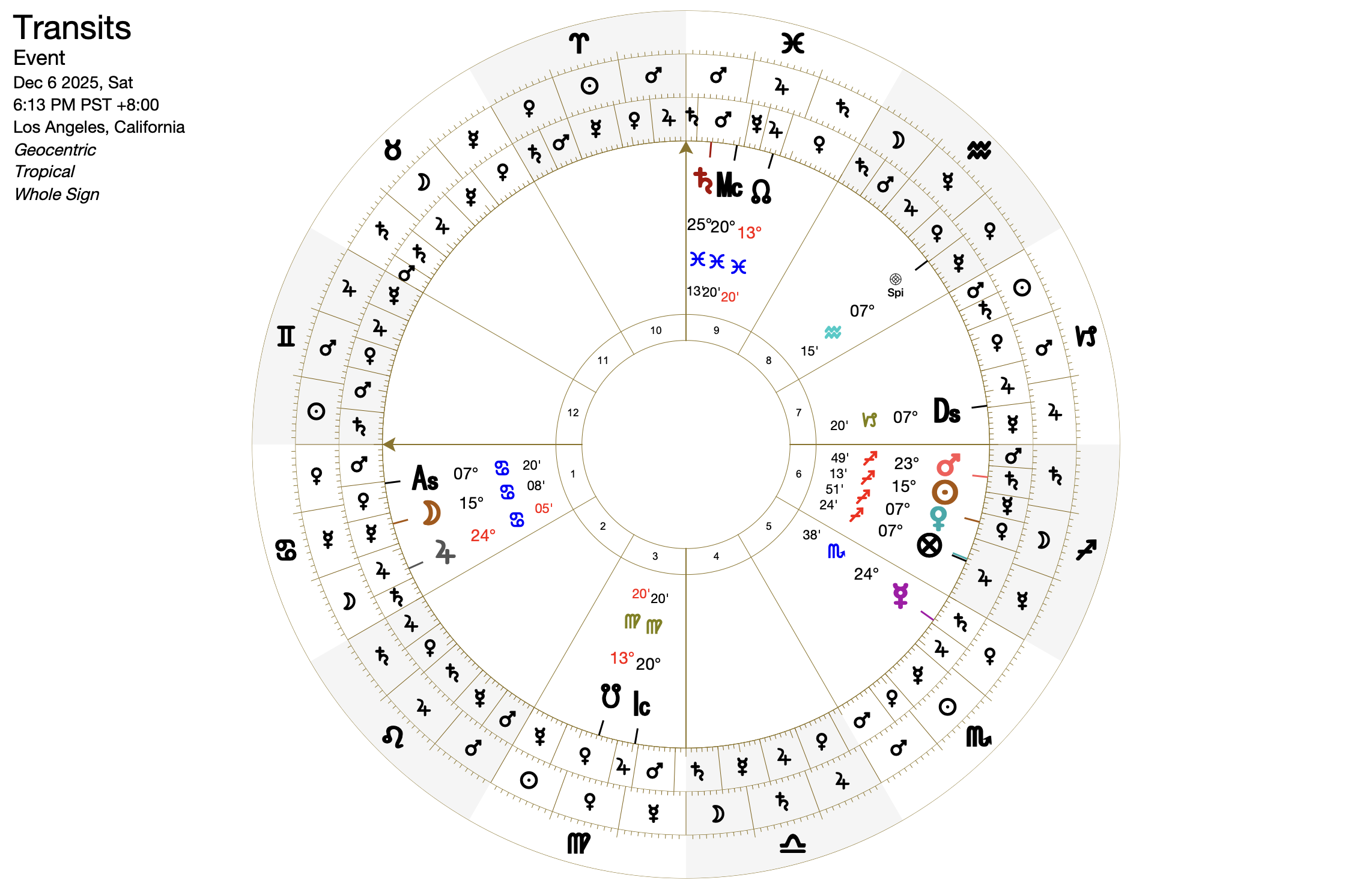
My career electional chart for December 2025
STEP 2 - Open your astrologer’s original Electional Chart using their time and location using your astrology software.
You can use any astrology software to cast the chart. For this walk-through, I will use Astro-Seek.com. It’s free and you don’t have to register to use it.
Once on Astro-Seek.com, click on “Free Horoscopes” and then “Traditional Astrology Calculator.”
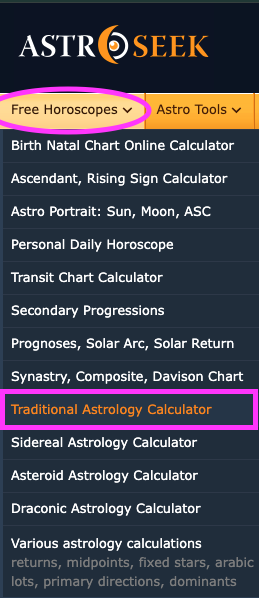
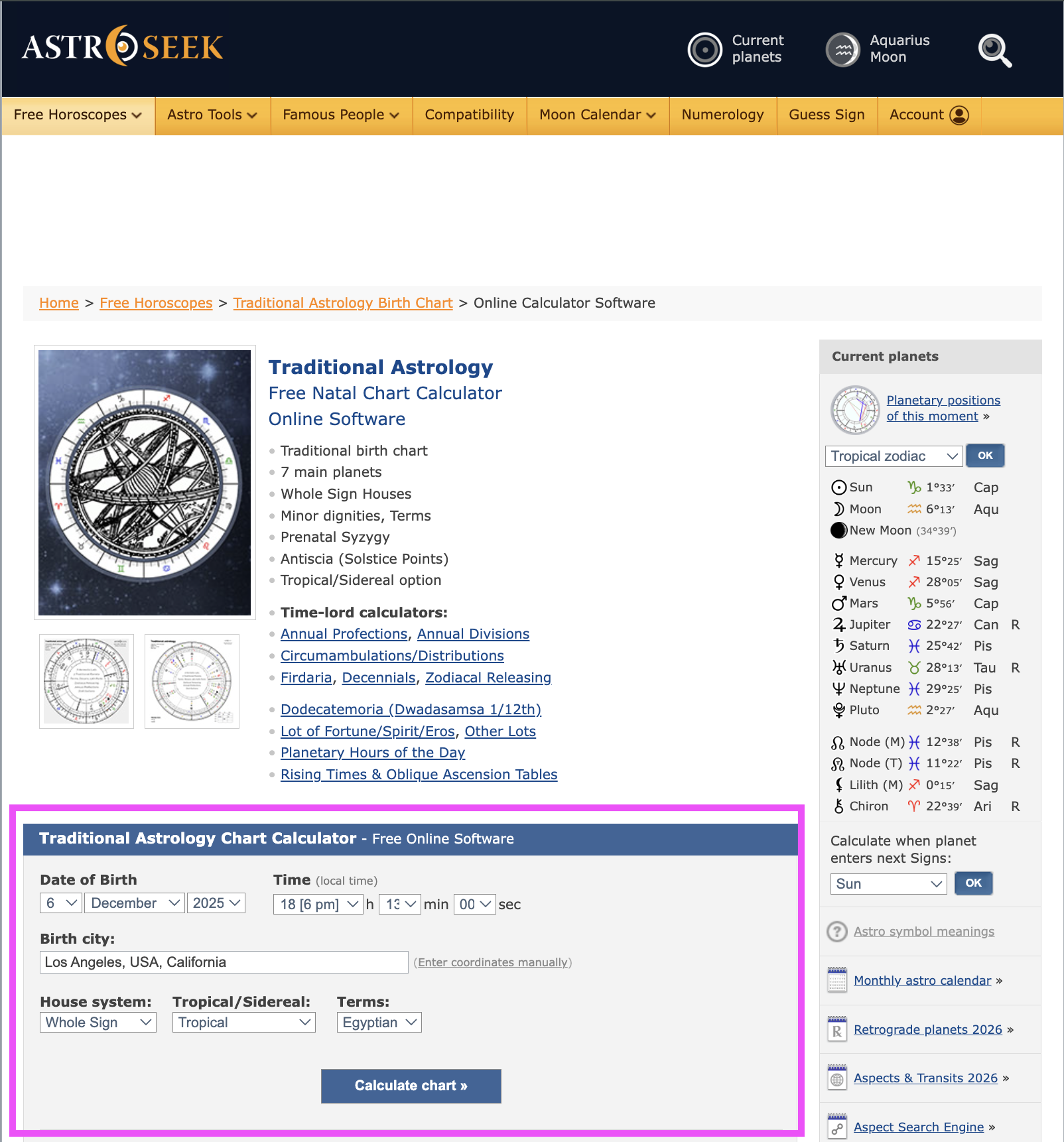
FILL IN THE TRADITIONAL ASTROLOGY CHART CALCULATOR:
Set the Date of Birth for the astrologer’s Electional Date: December 6, 2025
Set the Time for: 6:13 PM
Set the Birth City to the astrologer’s chart location: Los Angeles, USA, California
Leave the other settings as they are: Whole Sign, Tropical, Egyptian.
Click “Calculate Chart”
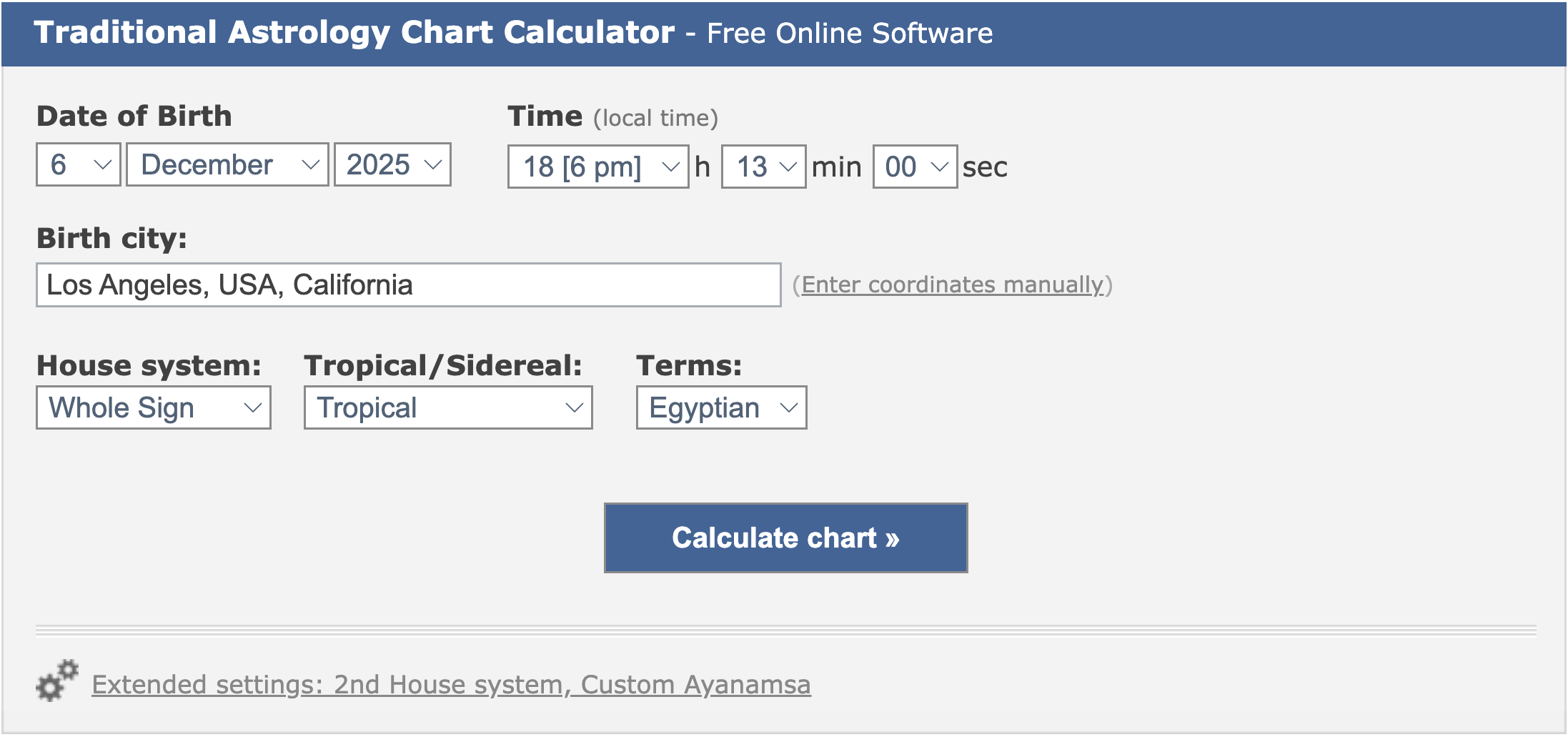
After you click “Calculate Chart” you’re going to get the astrologer’s electional chart, which you will use as a reference for your converted chart.
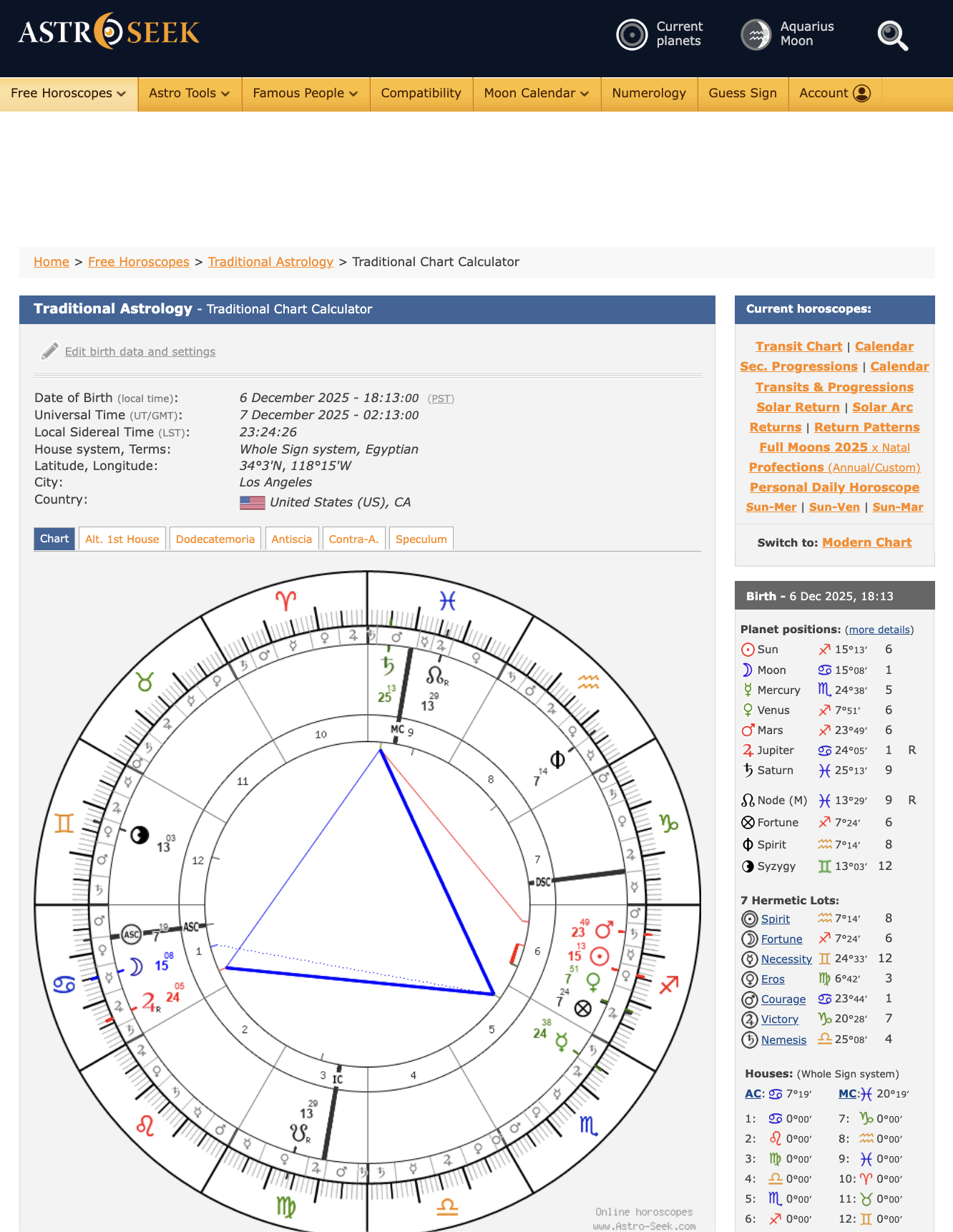
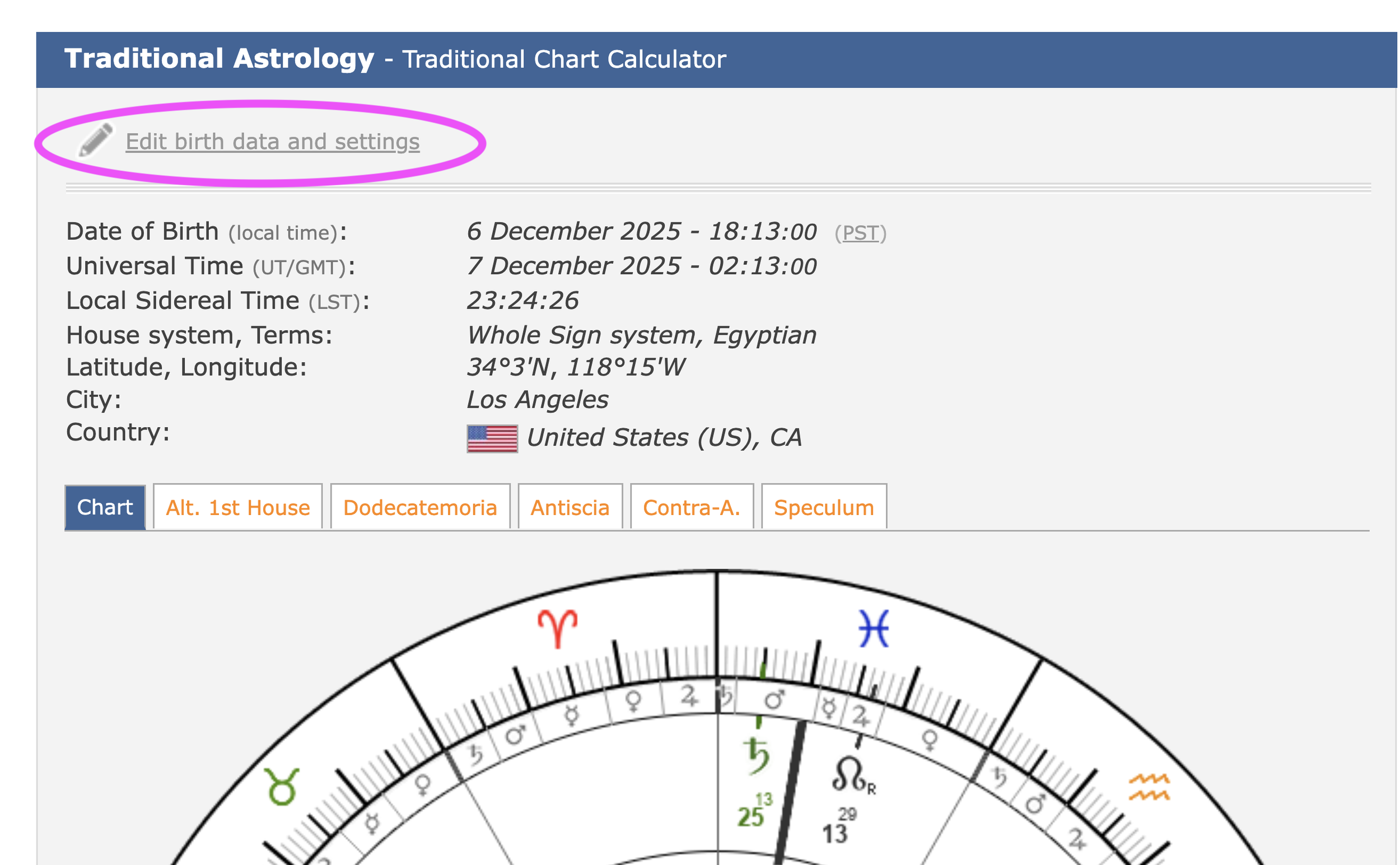
STEP 3 - Right-Click on “Edit birth time and settings” to open “edit birth time” page in a new tab. Leave everything the same as before, just update the city to where you will be during the election.
Let’s say I’ll be in Dublin, Ireland, during this December career election. When you’ve updated your location, click “Calculate Chart”
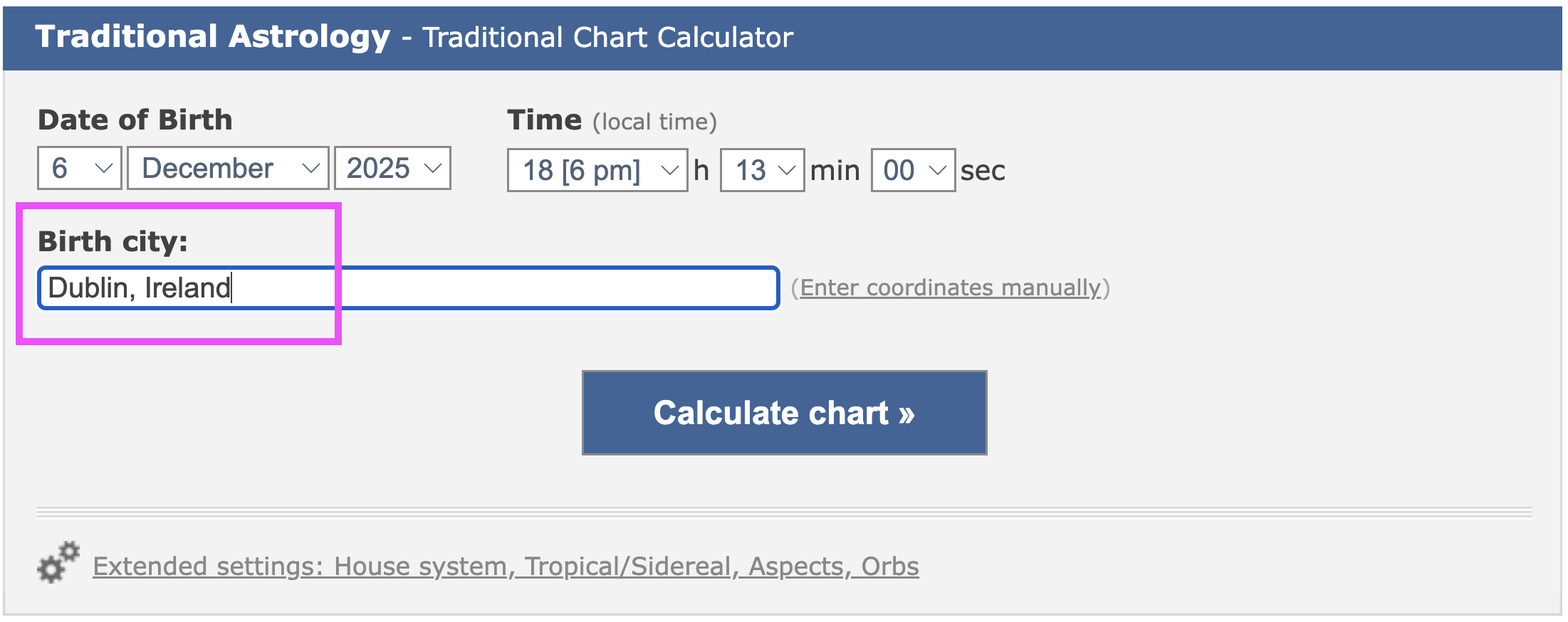
Keep all the stuff the same, just change the location to your city. Click “Calculate Chart” when you’re done.
You should now have two tabs, which you can reference back and forth as seen below.
One tab shows the astrologer’s electional chart; the other shows your electional chart for your location.
Comparing the astrologer’s Los Angeles chart, with the new Dublin, Ireland chart. The charts are very similar without changing the time!
STEP 4 - Compare the rising signs between the astrologer’s chart and your new election chart converted to your location.
As you can see, changing the location from Los Angeles to Dublin, Ireland keeps the charts very similar!
The Los Angeles chart has a Cancer rising 7º,19’ ASC, the Dublin chart has a Cancer rising ASC 15º,22’.
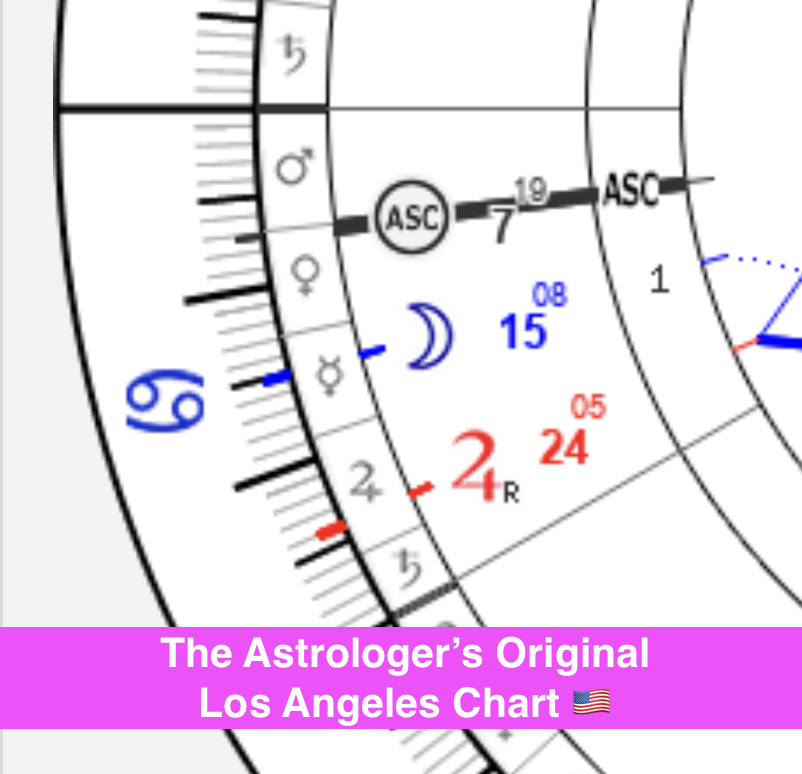
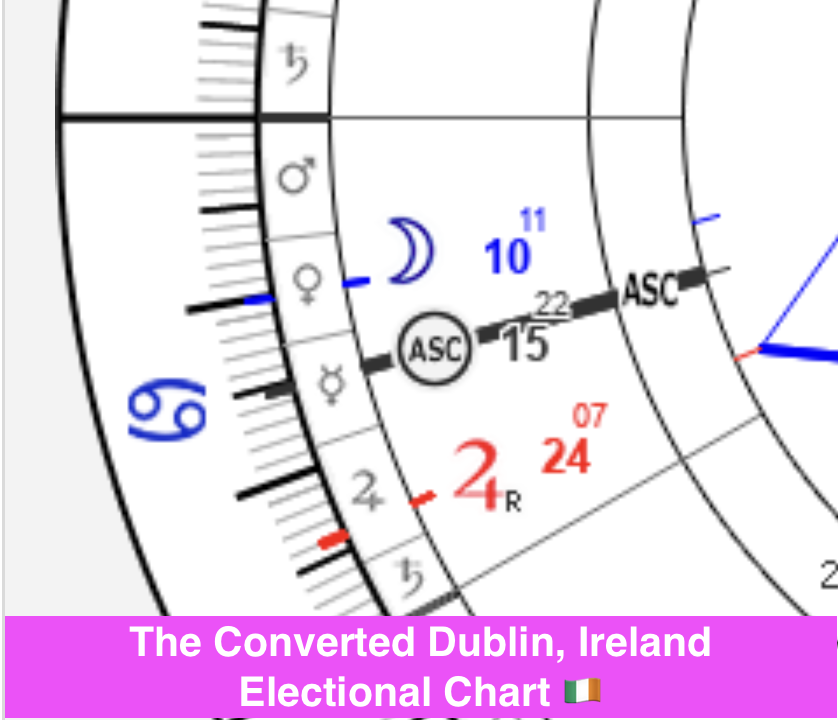
STEP 5 - Make the charts match as much as you can by editing YOUR converted chart’s time. At a minimum, make sure your rising signs are the same.
Since the Ascendant for the Dublin chart is ahead of the USA electional chart by 8º, (15º-7º=8º), let’s move the “Birth Time” back on the Dublin chart in 10 minute increments. Make sure you’re editing your converted chart and not the original astrologer’s chart.
You may need to play with the timing, either forward or back, until you get your rising degree to match the astrologer’s chart. Go through “Edit birth data and settings” and the “Calculate Chart” button until you get it just right.
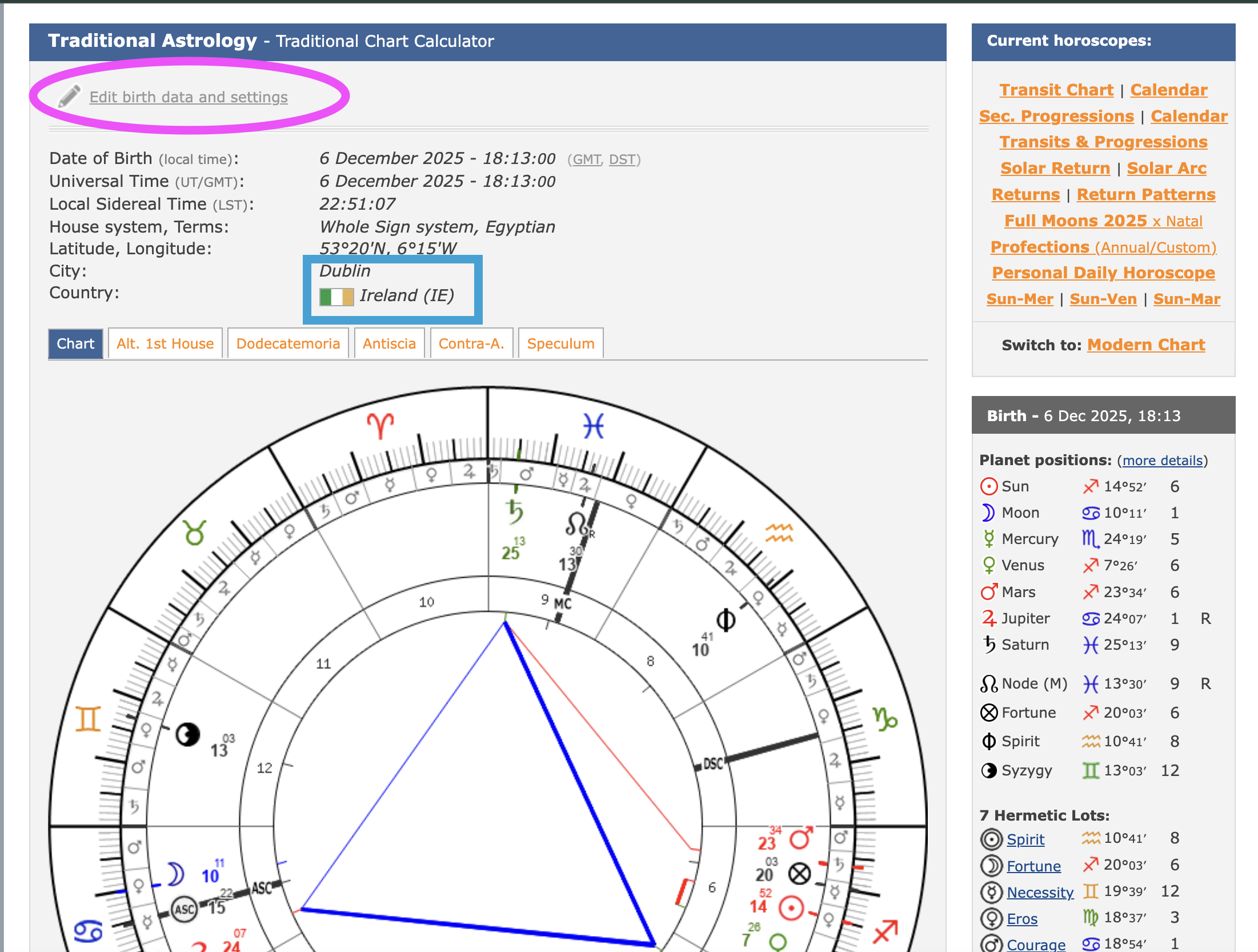
Make sure you are editing the “birth data” on your converted chart, not the astrologer’s electional chart.
Your Moon may be a little bit off from the astrologer’s chart if you focus on adjusting the ascendant alone. As long as your Moon is in the same whole sign house as the astrologer’s chart, you’re good to go.
I updated the "Birth Time" to 5:33 PM Dublin time, to move the ASC to 7°, Cancer Rising. This is the same rising degree as the astrologer's original electional chart.
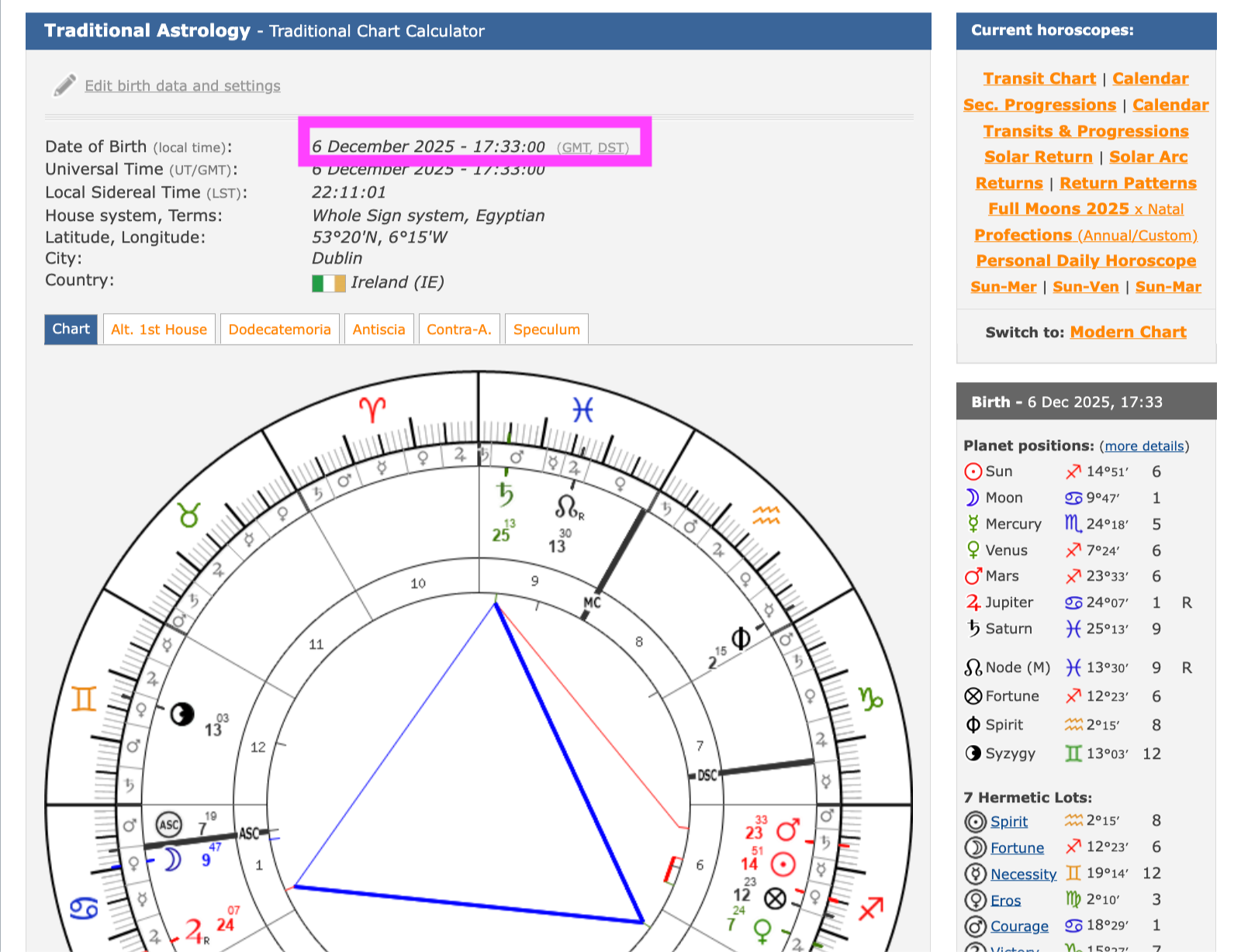
As I say in my monthly electional posts, as long as you submit your job applications before the rising sign changes to the next sign, you are taking care of business during the auspicious timing I’m recommending.
That’s it! I hope this helps you dial in your elections to make the most of the auspicious timings!
Be sure to subscribe to my free newsletter so you don’t miss my monthly Elections for submitting your job applications. Let me know if you have any questions in the comments, or message me privately here.